Checklist.xlsx
123 Tasks
WORDPRESS · THE AI QA REVIEWER FOR AGENCIES
Paste your agency's QA checklist. AI agents check every WordPress site change. Then your team approves. Then your client. No client login required. Installed as a plugin.
Trusted by web and marketing agencies.


Built from your checklist. They check, you decide.
Checklist.xlsx
123 Tasks
3 Performance Issues
Install, review and approve
Add the Superflow plugin from your WordPress admin and activate. The verifier confirms the script.
Paste your QA checklist and upload brand guides. Superflow assembles your named agents.
Agents check the site the moment it changes, desktop and mobile. Findings land as pinned comments. Your team decides.
Your client approves from a link. Superflow remembers for next time.
Website plugins to install Superflow in 30 seconds


Superflow builds them from your checklist. They check every site and leave findings as comments. Every review teaches Memory more. The next project starts already knowing the client.
Features that help
Your checklist, run by agents on every site, findings posted as comments.
New Website Workflow
Mike triggered 2m ago
Comments pin to the element, on the live site. Each one carries a screenshot of what the reviewer saw. The page changes; the proof stays. Internal notes stay internal.
Features that help
Pinned to the element, holding through edits and redeploys.
New Website Workflow
Mike triggered 2m ago
Send your client a link. No account, no login, no app, from their phone. They tap Approve. Behind passwords, Okta, and SSO too: Superflow lives on the site itself. Review on desktop or phone, in text or on video.
Features that help
Your client reviews from a link: no account, no login, from their phone.
New Website Workflow
Mike triggered 2m ago
A finding becomes a task. Statuses track it. Approvals run team first, then the client gate. One board across every client, or sync to Asana, Monday, ClickUp. Nothing dies in an email thread.
Features that help
Built-in review statuses, plus your own custom ones.
New Website Workflow
Mike triggered 2m ago
Superflow ships as a plugin in the WordPress directory. Search “Superflow” in Plugins > Add New, or grab it from the directory — activate, and the script is placed for you.
The plugin places the Superflow script on the rendered page. No code paste, no theme edit, nothing else in your content touched.
The verifier confirms the script before any review link goes out.
Survives theme changes and updates. The plugin carries snippet updates, no re-paste, ever.
Deactivating the plugin removes the script.
Works beneath the builders on top of WordPress, like Elementor and Divi.
Works with the builders on top of WordPress, like Elementor and Divi. The plugin sits beneath them.
Works across a multisite network.
Any website takes the snippet. WordPress just makes it a built-in step.
If the plugin misbehaves, deactivate it. The site is untouched.
Connection health lives in settings.
Deactivating removes the script.
From regulated healthcare copy to fast-moving agency work, Superflow's AI review fits the way your team already ships.
Assets reviewed / month
QA Minutes / asset
Hourly Billing Rate
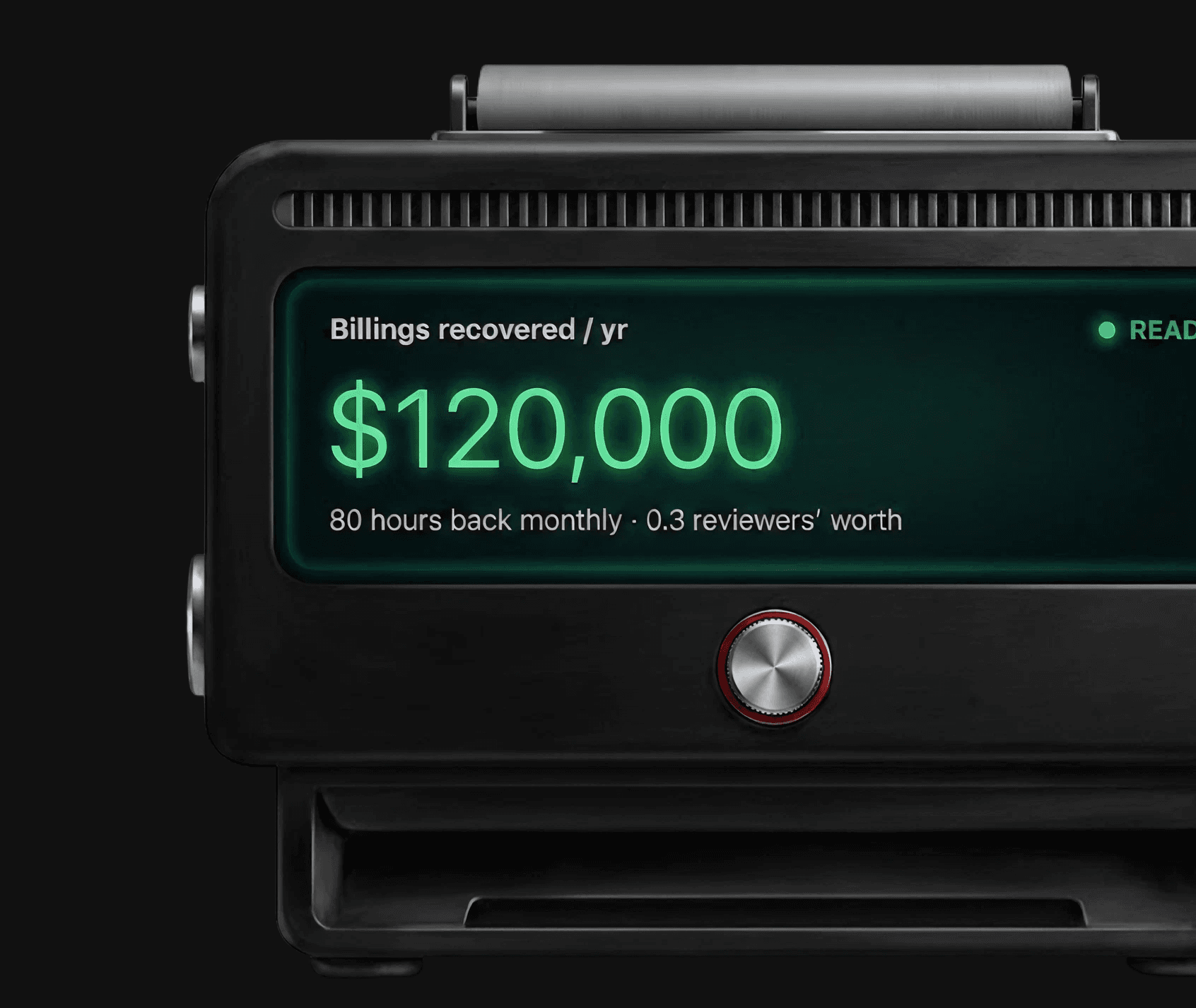
Billings recovered / yr
$105,000
70 hours back monthly · 0.4 reviewers’ worth

47 hours back a month, every month
Wonderist runs every client site through Superflow before it ships. Their senior designers stopped doing first-pass QA by hand.

Empowers non-tech users like me.

Everybody has loved how easy it is to get started.

Clear, Simple & Saves time for everyone involved.
AI does the first pass; a person or the client signs off on every asset. Confidence floors hide low-certainty findings, and any finding can be overridden.
Your logo on the review toolbar your clients see and the admin panel your team runs. One upload, every project.
SOC 2 Type II, HIPAA with BAA, data residency options, WCAG 2.1 AA on client-facing surfaces, plus the audit trail of every comment, finding, and approval.
Roles for Admin, Member, and Guest, per-project access, unlimited guest seats, SSO and SCIM on Enterprise.
Have Questions? Reach out anytime.

No. Agents run the first pass. A person on your team, or your client, always signs off. Nothing ships on an agent's say-so.
Broken links, brand colors and fonts, spelling, placeholder text, and your own rules, on desktop and mobile, the moment the site changes.
That's fine. The plugin installs beneath the builder. Reviews run on the rendered page.
No. Install the plugin from your WordPress admin. The developer path still exists for teams that prefer it.
Any website takes the snippet, five minutes, yours or your developer's. WordPress is the built-in path, not the boundary.
One script on the rendered page. Nothing else in your theme or content.
Included from the Growth plan. See /pricing for the breakdown.


