Record feedbackright where you review

Screen, camera, or voice. The recording lands as a comment, pinned where it applies. No separate app, no link to paste. Your client watches from their link.

Open
Milton2w

Recorded a walkthrough:

01:24
Screen walkthrough.mp4
YOUR-SITE.COM
244

Trusted by web and marketing agencies.

Cox AutomotiveGMHFinsweetUserVoiceRedsharkPhenyxZangerChildren's Defense Fund

Some feedback has to be shown

Record your screen, camera, or voice right where you review — and it lands as a pinned comment.

Record
  • Screen
  • Camera
  • Voice
your-site.com
Pinned as a commentPinned in place

Superflow gets you from

Show ItSign Off

Three ways to say it

Screen, camera, or voice — record whichever carries the feedback text can't.

Features that help

Record the screen and talk over it: the stutter, the flow, the thing text can't carry.

YOUR-SITE.COM
Open
Milton2w

Recorded a walkthrough:

01:24
Screen walkthrough.mp4

On the work

The clip lands as a pinned comment, recorded straight from the review toolbar.

Features that help

The recording is a comment: pinned to the element, in a thread, with a status and an assignee.

YOUR-SITE.COM
Open
Milton2w

Recorded my feedback:

00:52
Screen walkthrough.mp4
1 Reply

For everyone

Your client plays it from a link, and every recording lives in a thread.

Features that help

Your client watches from their link: no account, no login, no app, from their phone.

acme-client.comNo account
00:40
Shrey's Recording.mp4

Playing from your link — no login, no app.

Get started with Recordings in a minute

Three steps, no engineer required.

  • Add the snippet in 30 seconds

    Or upload a file. One click for WordPress, Webflow, Framer, Shopify.

  • Hit record on the toolbar

    Screen, camera, or voice — talk through what you see.

  • The clip lands as a pinned comment

    Your team replies, and your client watches and approves from their link.

Built for the work you already ship.

From regulated healthcare copy to fast-moving agency work, Superflow's AI review fits the way your team already ships.

  • Dental Marketing Agencies

  • Medical and healthcare content

  • Home-services marketing

  • Real estate marketing

  • In-house content and brand teams

  • Freelancers and studios

See the leverage in your own numbers.

Assets reviewed / month

QA Minutes / asset

Hourly Billing Rate

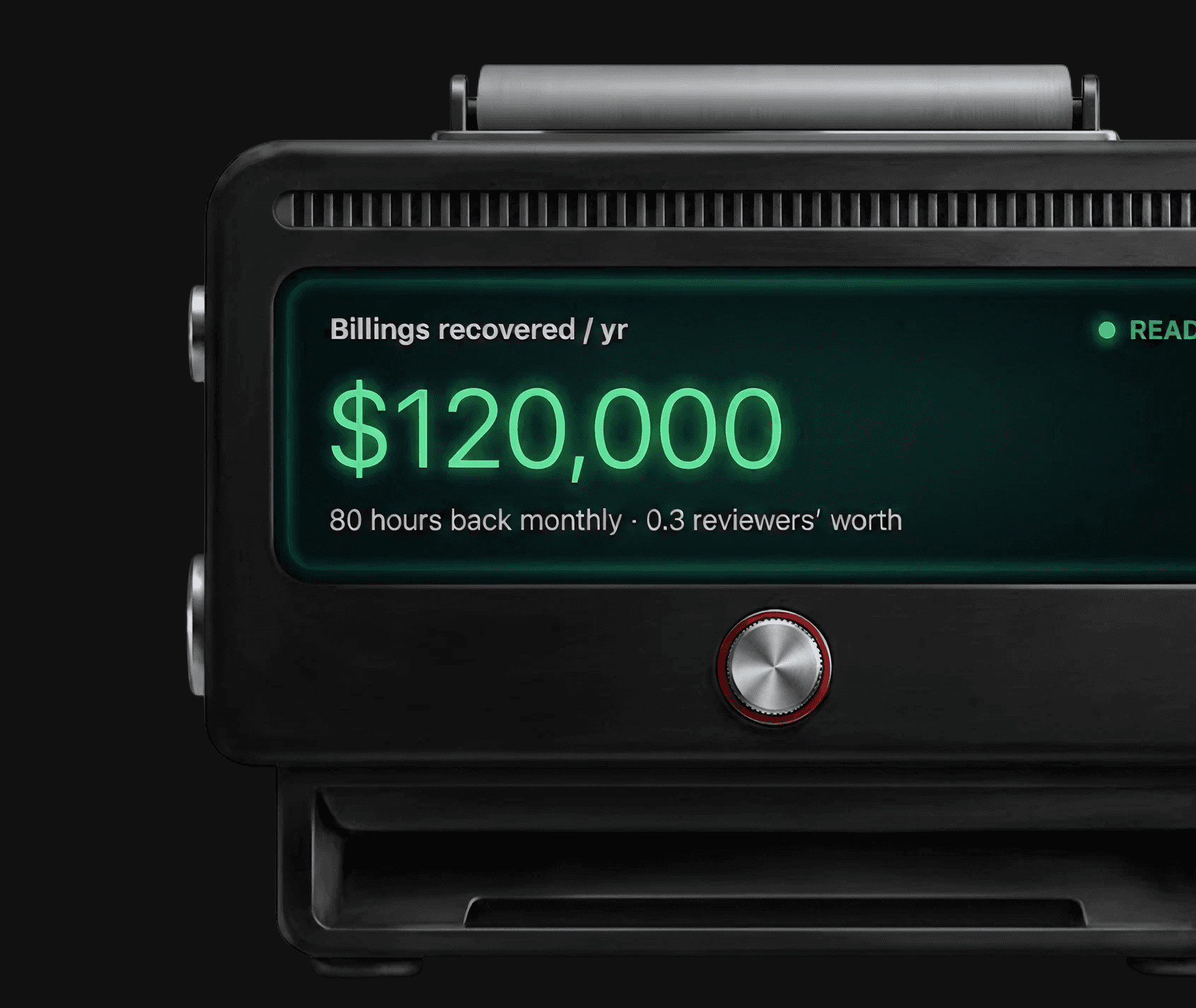
Superflow display device showing the billings recovered per year from automated QA

Billings recovered / yr

$105,000

70 hours back monthly · 0.4 reviewers’ worth

READY

Real agencies.
Real hours back.

  • 182 Hoursback every month
  • 3 fewer roundsof feedback
  • 4 Daysto approval
  • 61 Projectsshipped every month
Empowers non-tech users like me.
Manvi Agarwal @Writesonic
Everybody has loved how easy it is to get started.
Riley Hennigh @Headway
Clear, Simple & Saves time for everyone involved.
Simon Smallchua @Harvey

AI-first, with a human on every decision.

  • Human in the Loop

    AI does the first pass; a person or the client signs off on every asset. Confidence floors hide low-certainty findings, and any finding can be overridden.

  • White-label

    Your logo on the review toolbar your clients see and the admin panel your team runs. One upload, every project.

  • Compliance and evidence

    SOC 2 Type II, HIPAA with BAA, data residency options, WCAG 2.1 AA on client-facing surfaces, plus the audit trail of every comment, finding, and approval.

  • Access and identity

    Roles for Admin, Member, and Guest, per-project access, unlimited guest seats, SSO and SCIM on Enterprise.

Works with your existing tools

12 integrations verified, two-way where it counts

View All Integrations
Developer
  • WEB HOOKS
  • REST API
Delivery
  • Slack
  • Email
  • WhatsApp
Installation
  • Framer
  • WordPress
  • Webflow
  • Shopify
Task Management
  • Asana
  • Trello
  • Monday.com
  • ClickUp
  • Jira

Frequently Asked Questions

Have Questions? Reach out anytime.

  • Your screen, your camera, or just your voice, from the review toolbar.

  • No. Recording lives in the review itself: no extension, no separate app, no link to paste.

  • Yes. The recording plays from their link: no account, no login, no app, from their phone.

  • Clients reply from their link with comments; recording lives on your reviewing side.

  • They're comments: pinned to the element, in a thread, with a status and an assignee. Everything a comment can do, a recording can.

  • Yes, comment scopes apply: record for just you or your team, and the client's view never shows it.

  • A Loom lives at a link, away from the work. A Superflow recording lives on the element it's about, in the review, with a status.

  • Included wherever comments are, on every plan.